Leave
Overview
The Leave view provides a read-only overview of the leave type settings, offering visibility into how leave types are structured and and what policies are applied in esimating future leave balances.
How to view leave types
1. Log in and navigate to the Admin App

2. Click "Settings"
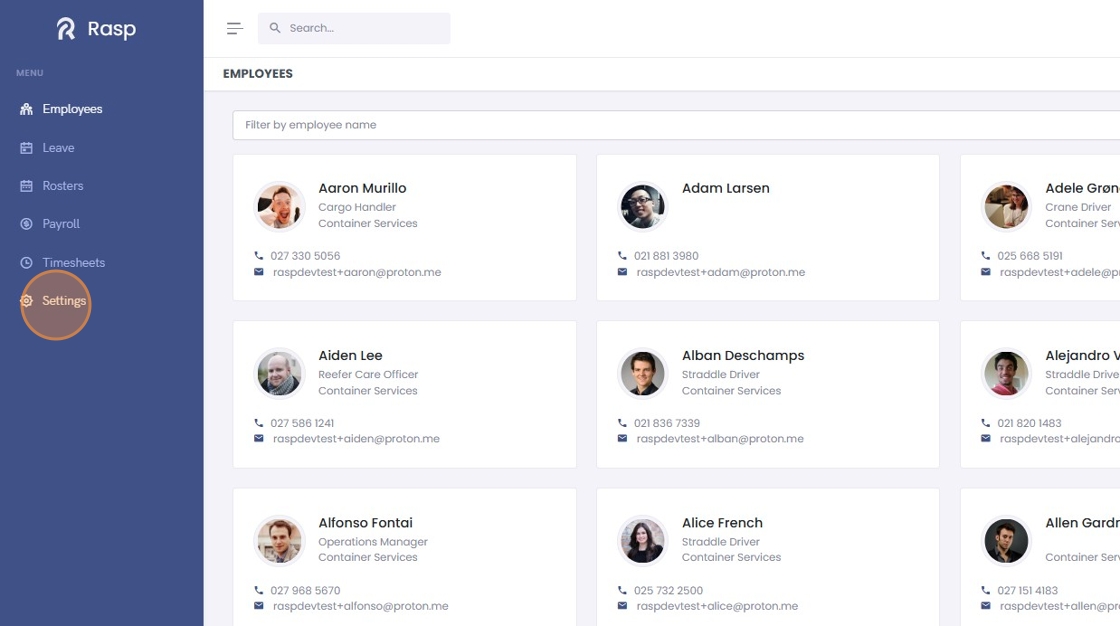
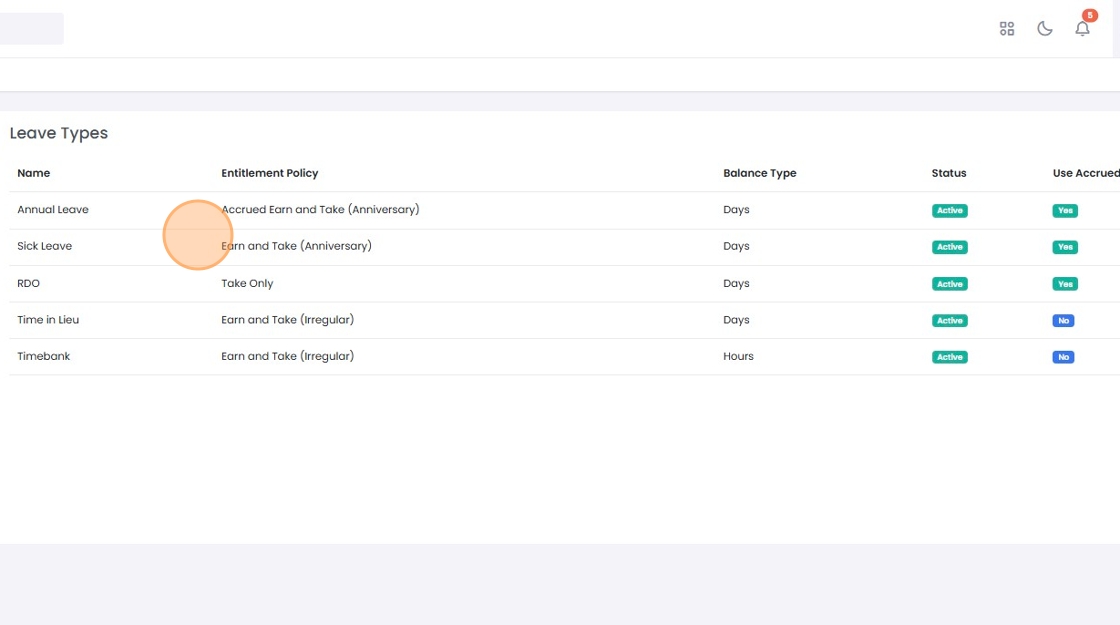
3. The leave types are displayed
Understanding Leave Types and Policies
Entitlement Policies
Each leave type has a specific entitlement policy that determines how the leave accrues and when it can be used. Here's a breakdown of the common policies:
- Accrued Earn and Take (Anniversary): On this policy employees accrue leave as they work. The employee is entitled to this leave on their anniversary date. In some cases the employee may be able to take accrued leave before their anniverary date. This is controlled by the Use Accrued setting below.
- Earn and Take Anniversary: Under this policy, leave is earned and can be taken immediately, with the accrual and usage tied to the employee's start date anniversary.
- Take Only: This leave type is allocated in total at the beginning of a period and does not accrue over time. It is available for use from the date of allocation.
- Earn and Take Irregular: Leave is earned based on irregular hours worked beyond the normal schedule. This leave can be taken as soon as it is earned, without waiting for any specific accrual period.
Balance Type
The balance type indicates how the leave balance is stored and tracked:
- Days: Leave balance is tracked in days, suitable for full-day absences.
- Hours: Leave balance is tracked in hours, offering flexibility for partial-day absences.
Use Accrued
The "Use Accrued" feature allows employees to use their accrued leave before reaching their entitlement date.